Choose your folder
Add Downloads, Desktop, or another personal folder. SortSentry watches the files directly inside it and leaves subfolders alone.
Give your PDFs, images, and archives a place to go. SortSentry watches the folders you choose and files things by your rules, right on your PC.
Preview is on from the start. You decide when files begin to move.
Start with one folder you use every day. SortSentry includes starter rules you can make your own.
Add Downloads, Desktop, or another personal folder. SortSentry watches the files directly inside it and leaves subfolders alone.
See which files match and exactly where they will go. Preview keeps everything in its current place.
Turn on automatic organization when you are ready. SortSentry runs in your system tray and records completed actions in Activity.
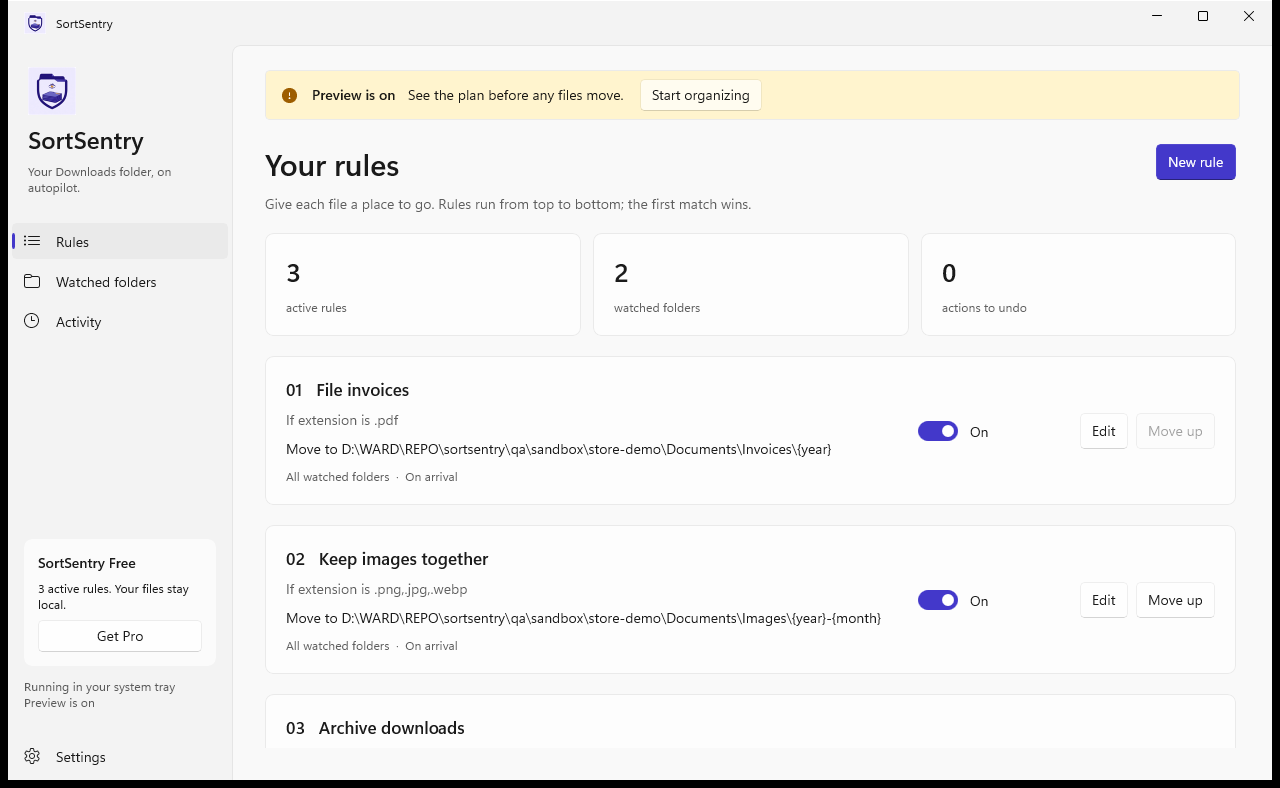
Use extension, file name, size, or time since last modification. The first matching rule determines what happens.
Sort into folders by year or month. Rename files with patterns such as {name}_{date}.{ext}.
Restore the original name and location. SortSentry checks for edits and stops if the original path is already occupied.
Set files aside in the app’s local storage. Restore them from Activity before uninstalling SortSentry.
Folder monitoring, preview, and undo are included in both editions.
For everyday folders
A one-time Microsoft Store purchase
Pro’s U.S. Store price: US$9 once. Microsoft Store shows your local currency, tax, and final price before you buy.
SortSentry is being prepared for Store submission. The download link will appear here after publication. For product questions, email support@wddigi.com.
No. SortSentry processes files on your PC. Microsoft Store handles purchases and license verification; the app does not send file names or contents to the developer.
SortSentry adds a number to the incoming file’s name. It does not overwrite the existing file.
Undo needs the recorded destination file, unchanged contents, and an empty original path. For a rule with several actions, undo the most recent action first.
The SortSentry process needs to be running. Closing its window keeps it in the system tray. You can opt into Windows startup in Settings. Schedules run while the app is running.
Restore any quarantined files you want to keep. Uninstalling may remove local app data, quarantined files, and undo history.